Restaurant & Café Website Checklist: 15 Things Customers Look For
When someone looks up a restaurant or café, they're usually deciding right now: where to eat tonight, where to take a date on Saturday, where to book a birthday. They're on a phone, they're impatient, and they have three or four other tabs open.
A good food website answers their questions in seconds and makes the next step, whether that's calling, messaging, booking or walking over, one tap away. This checklist covers what to include, and the examples come from live websites we've built for cafés, which you can open on your phone as you read.
The five that matter most: a readable menu, opening hours, one-tap call/WhatsApp/directions, real reviews, and a page that loads fast on a phone. Get those right before anything else.
The basics: what every visitor wants to know
"Pure-veg South Indian breakfast from 7 AM." "Rooftop glass domes for celebrations." A visitor should know what kind of place you are within two seconds of landing.
Group it into sections such as breakfast, mains, drinks and desserts, and show prices. A PDF or a photo of a printed menu is slow and painful to read on a phone, and search engines can't read it well.
Put them near the top and keep them accurate. Highlighting today's hours or an "open now" note saves people a phone call.
The address, a landmark ("next to Hotel Empire", "five floors up, above the optician") and a button that opens directions in their maps app.
Make them big, obvious and present on every screen. In many countries, WhatsApp is how people prefer to ask about a table, a cake order or a party booking.
Trust: why they should pick you
Show a handful of genuine Google reviews and credit each reviewer. Pick ones that mention specific dishes or moments, not just "nice place".
"4.6★ from 4,000+ guests" is a strong reason to choose you. Say it plainly and link to your Google listing.
Customers want to see what they'll actually get. Over-polished stock photos that don't match the room or the plate backfire when people arrive.
Parking, outdoor seating, pets, kids, Wi-Fi, vegetarian or vegan options, accessibility. A short "before you visit" section answers them all at once.
Character: what makes you memorable
Every good place has one thing people photograph and talk about. Build the site around it, so visitors feel the place before they arrive.
Here's how that looks on three live sites we've built:
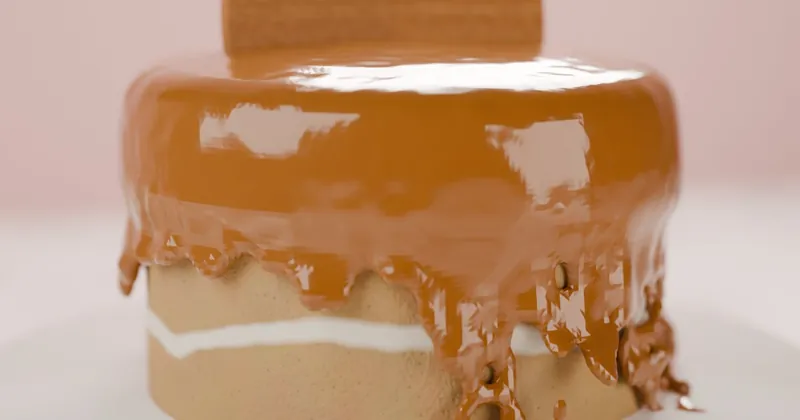
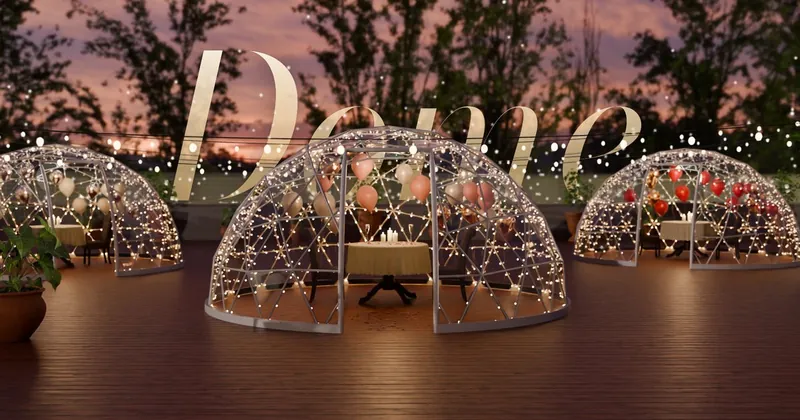
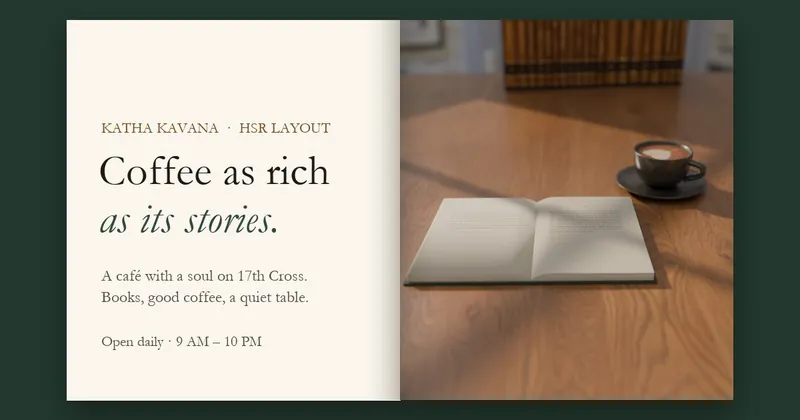
A neighbourhood darshini and a French patisserie shouldn't read the same. Short, specific, warm wording beats generic phrases like "a culinary journey" or "the best food in town".
Birthdays, office lunches, party platters, custom cakes: these are often your most valuable orders. Give them their own section with a WhatsApp button that pre-fills the message.
Technical: what keeps it working
Test it on a mid-range phone over mobile data, not just office Wi-Fi. If the first screen takes more than a few seconds, people go back to the search results.
Your name, address, hours, cuisine and rating should be marked up as structured data, so search engines can show them correctly. Link the site from your Google Business Profile too.
Prices change, dishes come and go, hours shift for holidays. Make sure updating the menu is quick, or that someone does it for you, because an out-of-date menu is worse than none.
✅ Quick test: hand your phone to a friend, open your website and ask them to find tonight's closing time, the price of your best-known dish, and how to message you. If any of that takes more than ten seconds, start there.
Common mistakes to avoid
- Autoplaying music or video with sound.
- A pop-up covering the menu before people have seen anything.
- Hours that don't match your Google listing.
- A "contact us" page with only a form and no phone or WhatsApp.
- Stock food photos that look nothing like your plates.
Want all 15, done for you, free?
We design and build websites for restaurants and cafés from your Google listing and reviews. You check the preview; we do the rest.
Request a free website →Frequently Asked Questions
Related: Website showcase · Get a free website for your business · Restaurant lead generation